 That Vibe Coder
Become the creator who never runs out of content, with an AI system that plans your week while you make it.
Creator OS is a full content system in Notion with an AI agent team built in, so you give it a rough idea and it writes the hooks and plans your week.
One-time payment. Instant access. Yours to keep.
“Clean and works well with my content strategy. Great find!”Mason Dantone
“I reviewed another one of this creators templates earlier. This one also just flowed very smoothly.”Trevor
“Easily a top 10 free template on the marketplace. Just download and go.”Anita
“Does what it says it's going to do, and in this day and age that is saying something.”ben





Join the 75,000+ people already running their work and life on our Notion templates.
“I am using this for my content right now. It's helping me stay consistent.”
 Sarah DCreator OS
“This work of art is what I'm currently using for my content deals. I upgraded my notion after using this one and a few others.”
“I loved the fitness template with the calendar so much I was so happy to see you made one for content as well!”
 NancyCreator OS
“Brian is truly exceptional. I came to him with a big vision for a custom Notion system to manage multiple businesses and personal workflows, and he built something far beyond what I imagined...”

Finally feel understood, supported and in control of your content.
Pick the part of your week that eats your time, and see the page that takes it off your plate.
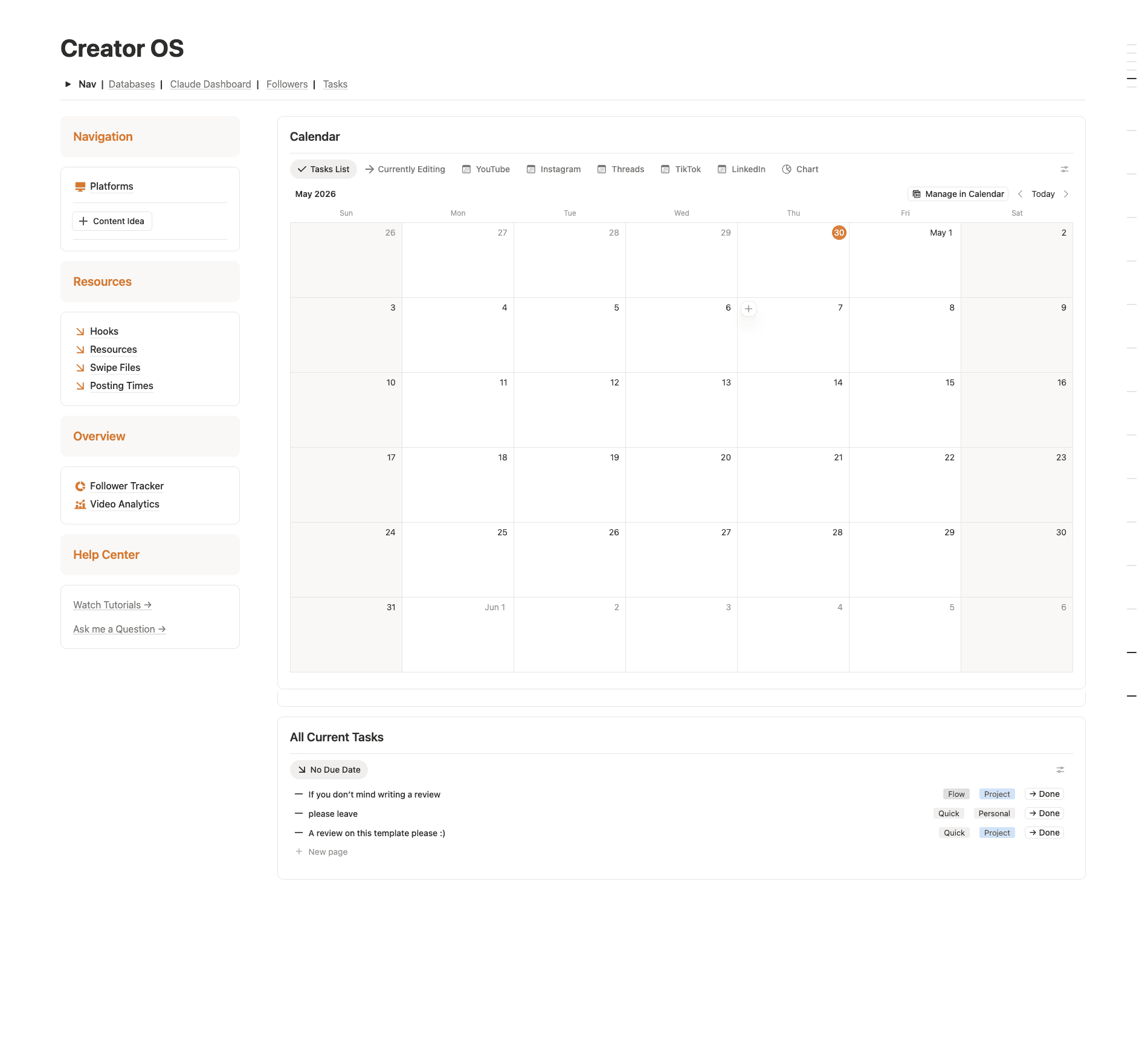
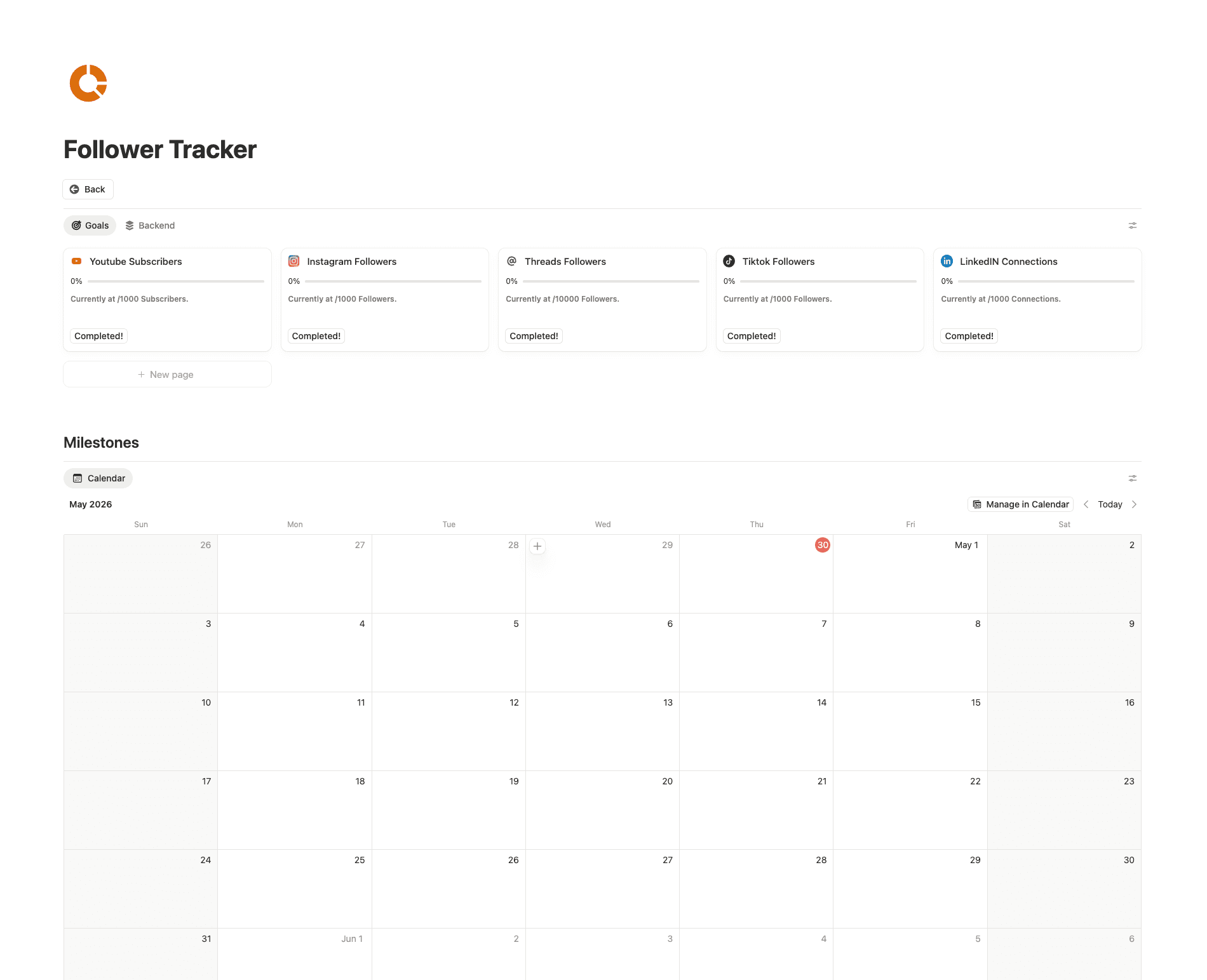
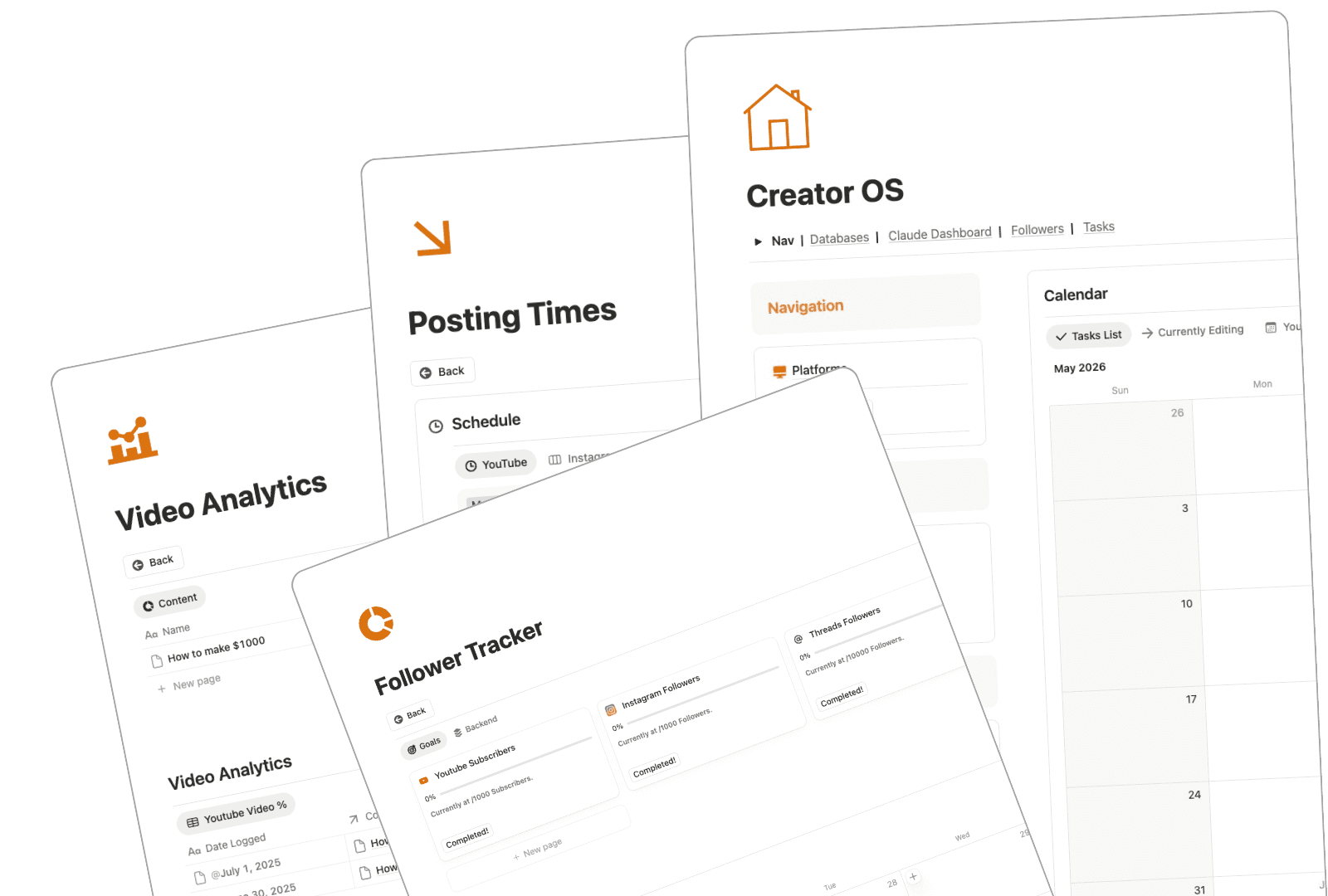
YouTube, Instagram, Threads, TikTok and LinkedIn each get a tab on one calendar, so you stop checking five apps to see what's going out.
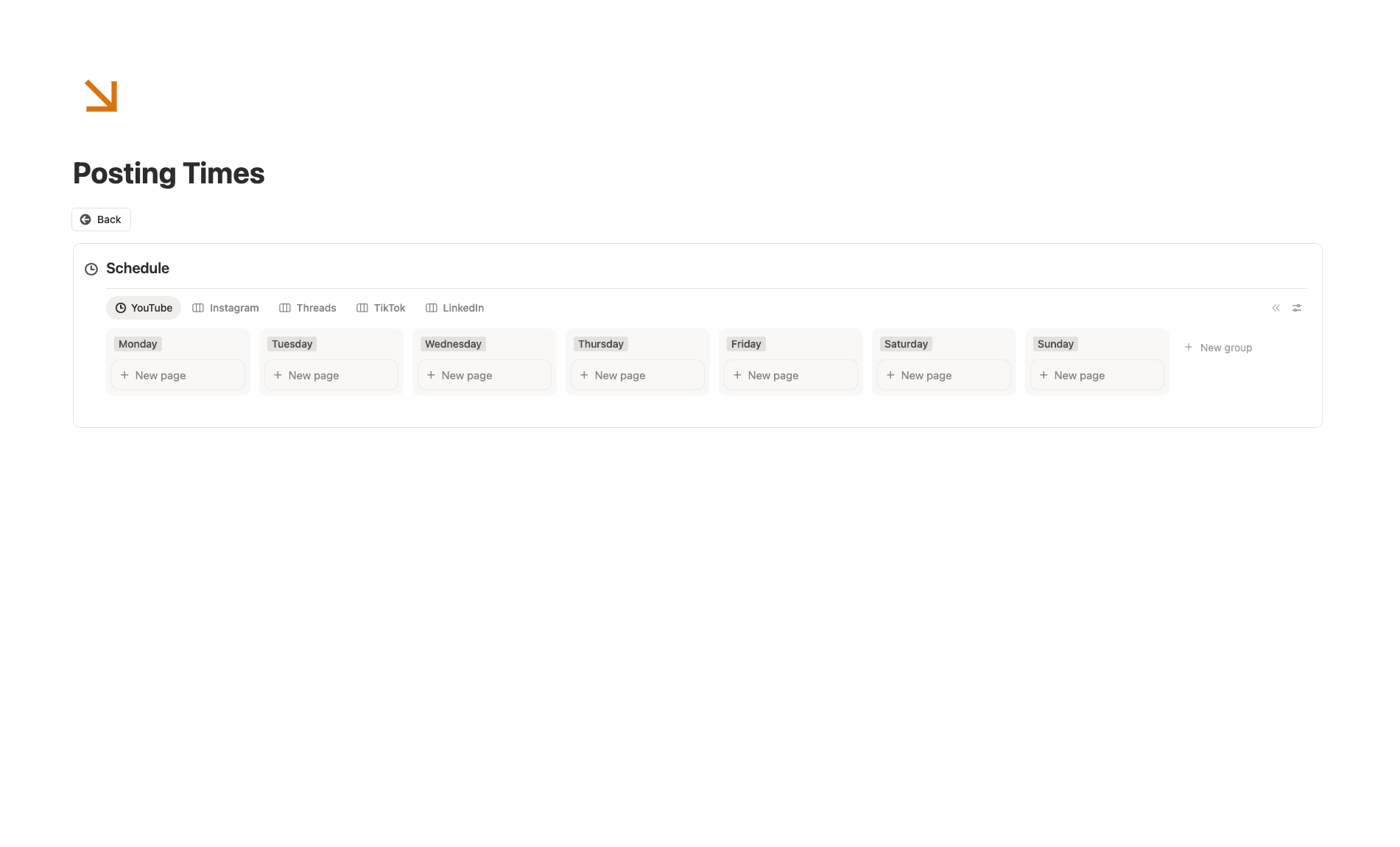
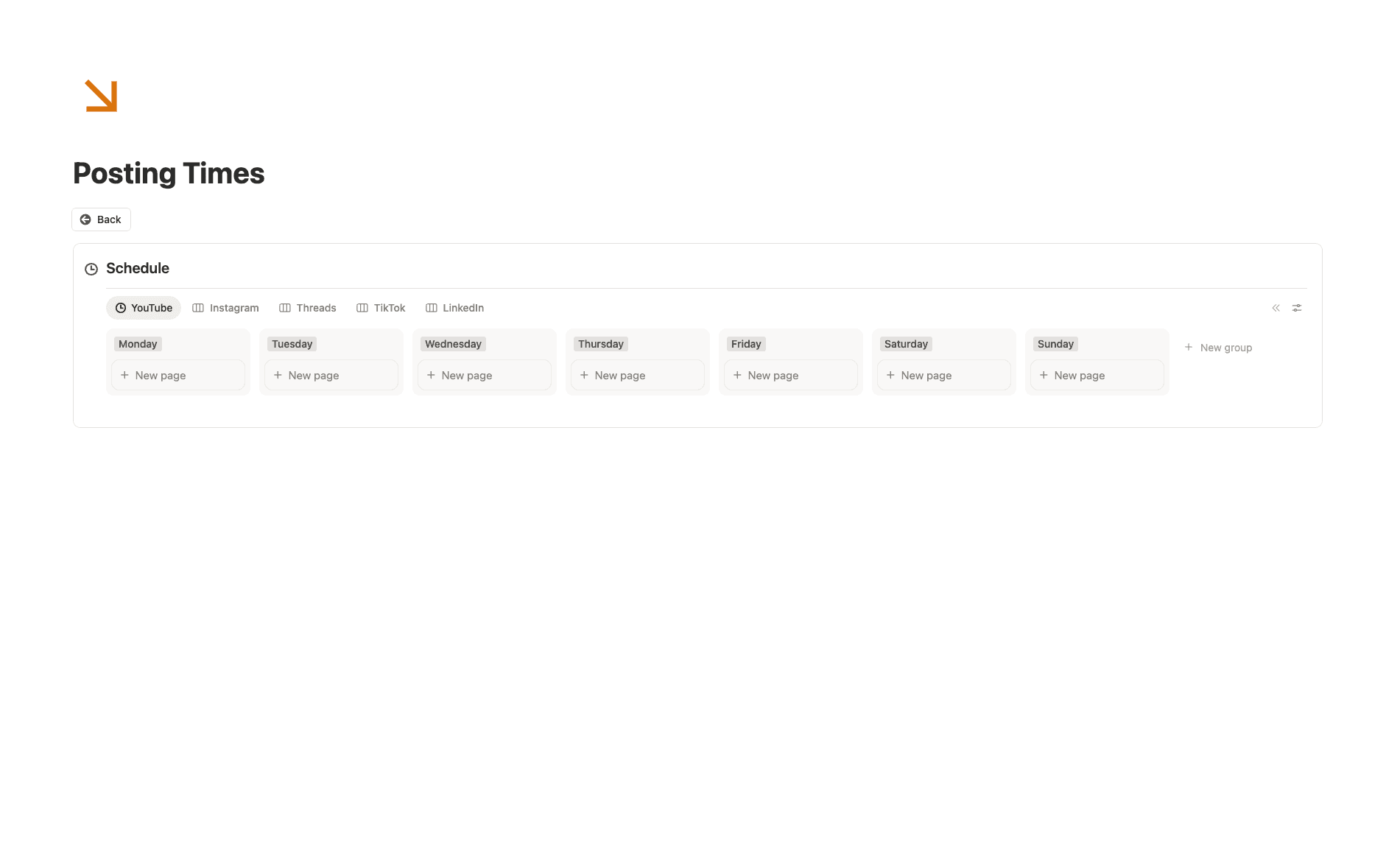
Your best slots for each platform live on one board, so the morning goes to making the post instead of deciding when.
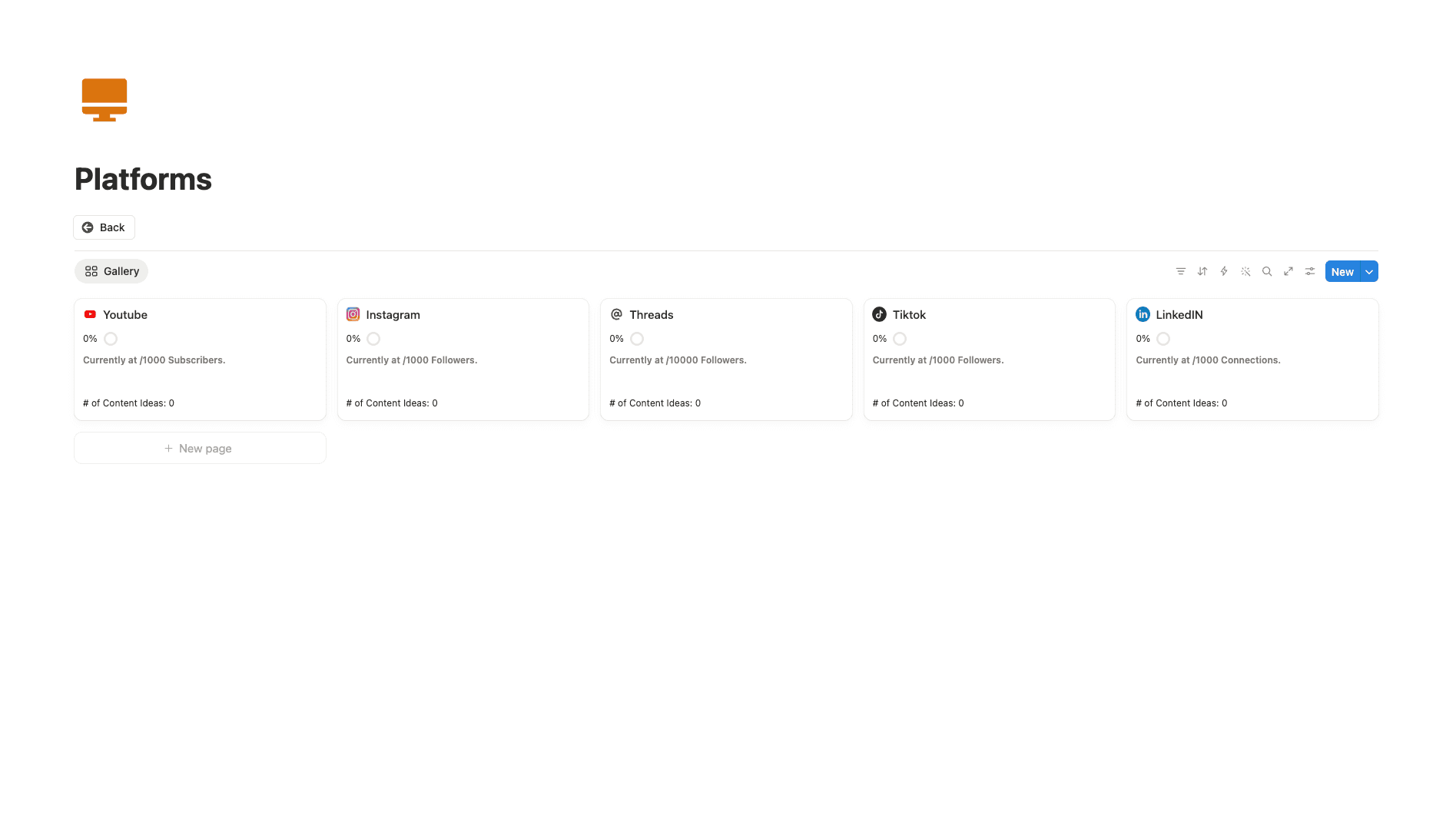
Each platform card counts the ideas queued for it, so you spot the channel going quiet before your audience does.
Why the last one went quiet
Your content planner didn't go quiet because you're lazy.
Most creators set up a content planner on a Sunday and stop opening it two weeks later. The planner wasn't bad, but every page sat there waiting on you to type.
Then a busy week hits and it goes quiet. The ideas go back into your notes app, and that's where they stay.
It was never your discipline. It was the typing, so I handed the typing to a team.
| Hook test reel | Posted | Sun |
| Carousel: 5 tools | Editing | |
| YouTube script | ||
| Idea from the gym??? | ||
Meet the team
Eight AI agents plan, write and schedule your content for you.
You make the content. Each agent runs one part of the week around it: the research, the hooks, the scripts, the calendar, the numbers and the brand deals.
Hover or tap an agent to watch it work.
It never deletes anything, it asks before moving a scheduled post, and it tells you exactly what it changed.
Everything you get
The system, the agents and the courses to run them, in one checkout.
Most templates hand you a page and leave. This one comes with three courses: Notion, Claude and the business side, so you know how to run every part of it.
01 · The system
Creator OS
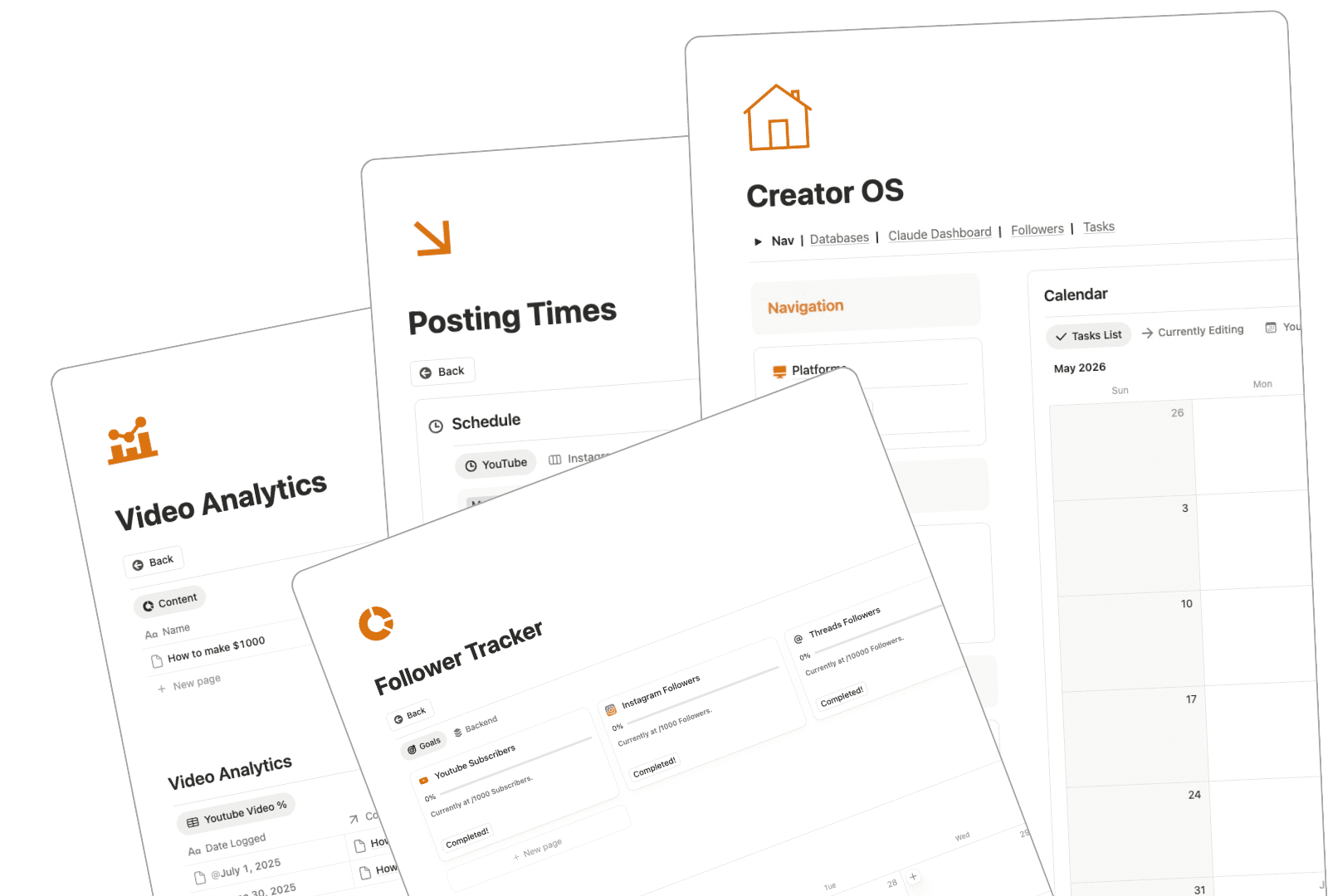
Your content calendar, platforms, hooks, posting times, follower goals and video analytics, already connected.
02 · The team
Eight AI agents
Trend Scout, Competitor Watcher, Hook Writer, Scriptwriter, Repurposer, Calendar Keeper, Numbers Analyst and Brand Deal Manager, each with one job.
- 01Databases
- 02Relations
- 03Views and filters
- 04Make it yours
03 · Course
A mini Notion course
The databases, relations and views behind it, so you can bend it to how you create.
Plan my posting week.
Calendar KeeperDone. I filled your open slots from your posting times and left the dated posts alone.
04 · Course
A mini Claude course
How to talk to your agents, what to ask them and how to get answers you can act on.
05 · Course
A full business course
Find your moat, analyze the business and decide what to build next, with the MOAT template and a business analysis inside.
One-time payment. Instant access. Yours to keep.
Creator OS
See every platform's week on one page
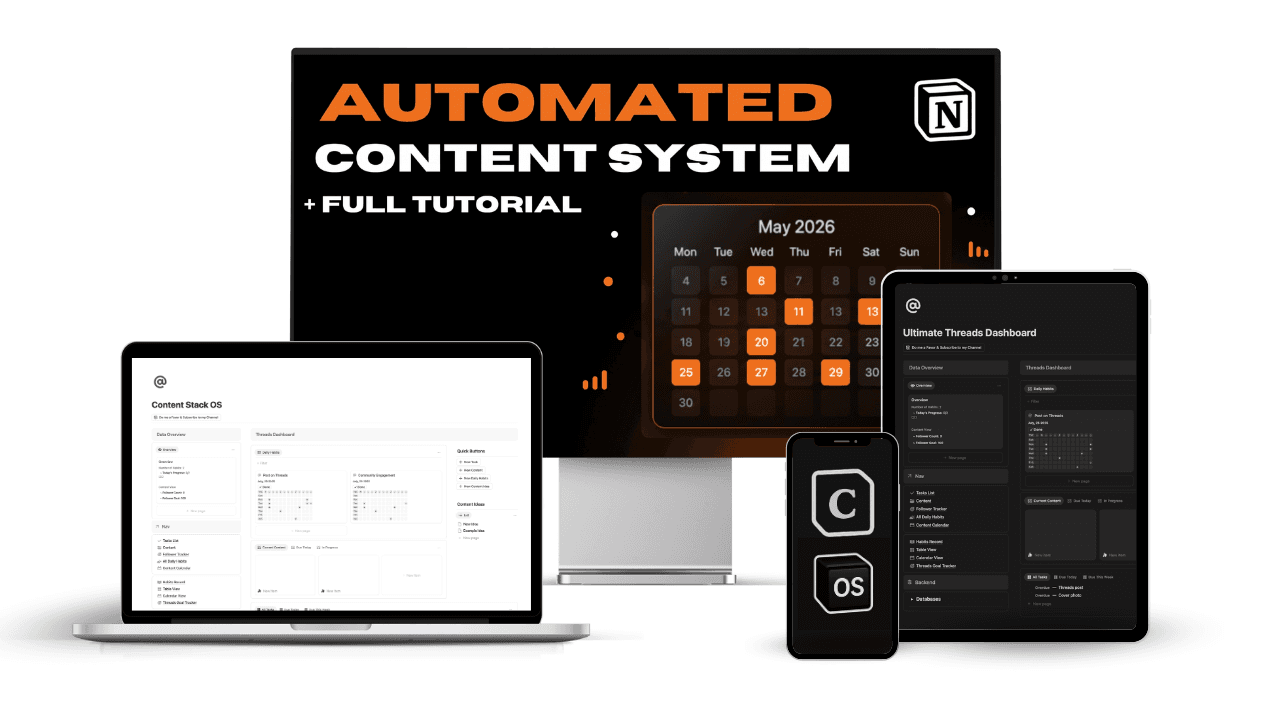
The home page shows the calendar, the open tasks, and every resource in one view. You stop checking five apps to find out what you already posted.
- One calendar, every platform:
- Tabs for YouTube, Instagram, Threads, TikTok, and LinkedIn sit on the same calendar, so you switch channels without leaving the page.
- Currently Editing:
- One tab holds everything that's half finished, so drafts stop getting lost between the idea and the post.
- Nav that stays put:
- Databases, Claude Dashboard, Followers, and Tasks sit at the top of the page. The sidebar keeps hooks and swipe files close.
Platforms
Know which channel needs content before you plan the week
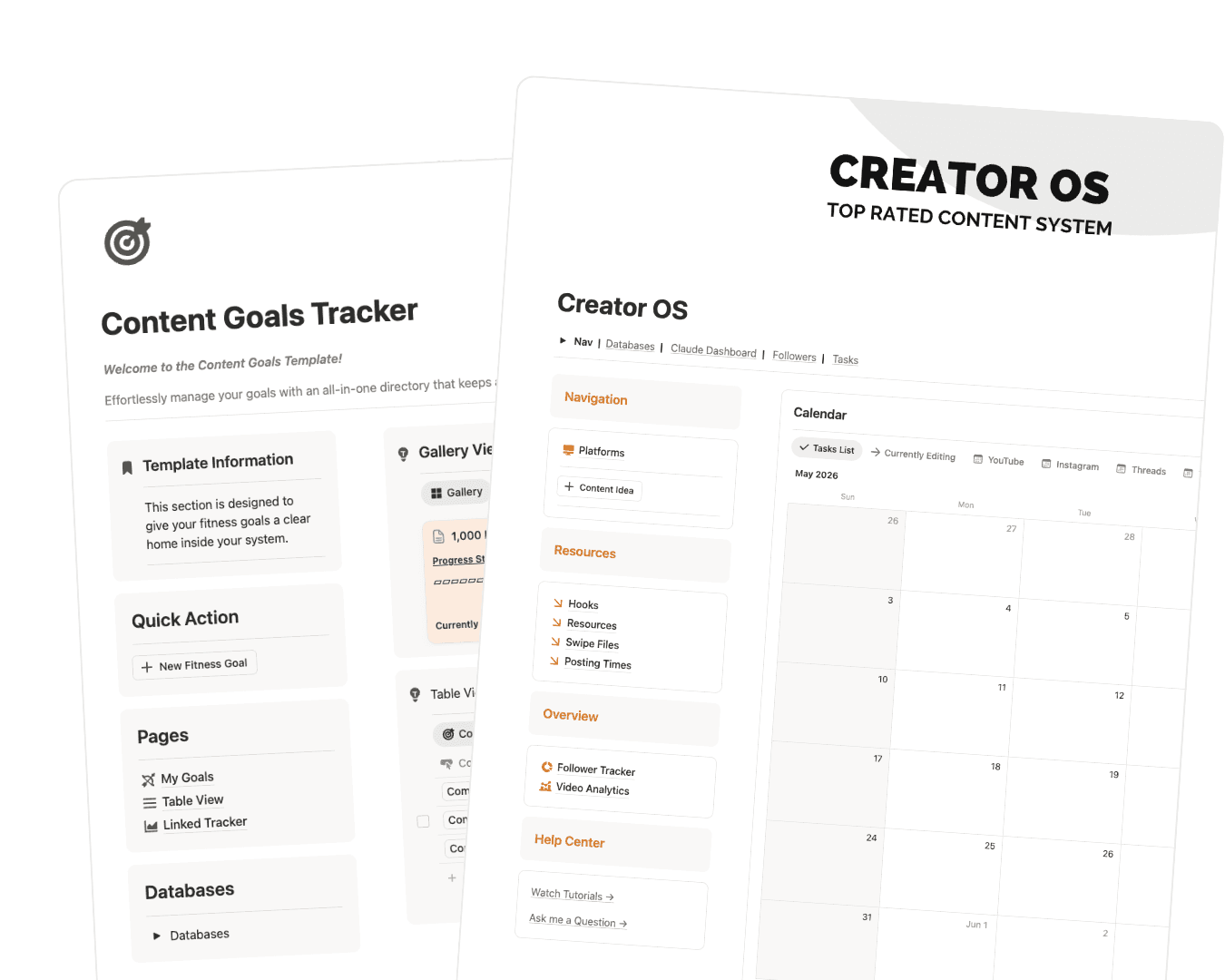
Each platform gets a card that shows your follower goal and how many ideas are queued. The channel that needs attention is obvious before you plan anything.
- A card per channel:
- YouTube, Instagram, Threads, TikTok, and LinkedIn each have a card, and you can add any platform you post on.
- Goal progress:
- Type in your current numbers and the bar fills toward the goal you set.
- Idea count:
- Each card counts the ideas tied to that platform, so you notice when a channel is running dry before it goes quiet.
Follower Tracker
Watch your follower goal fill in as you log the numbers
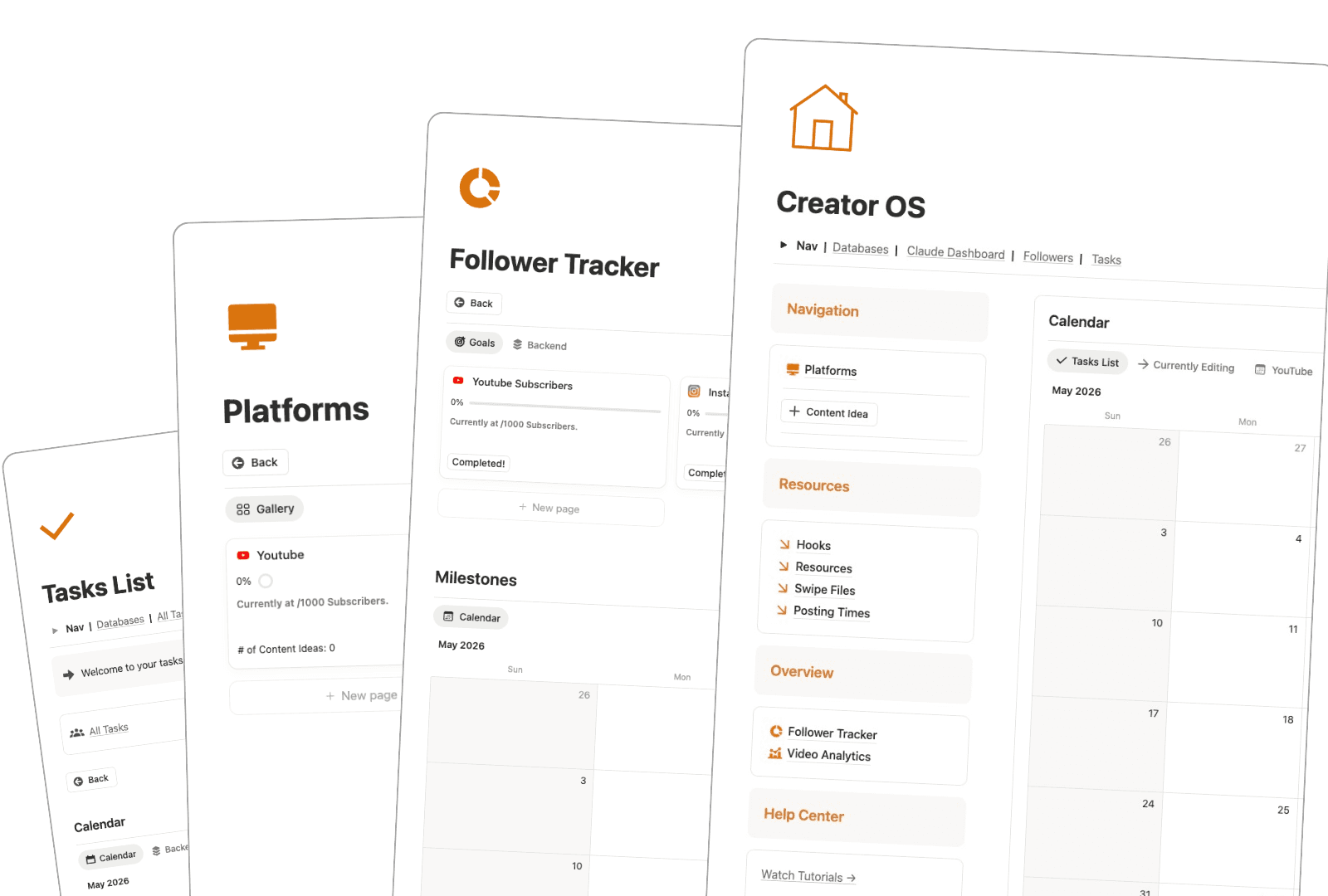
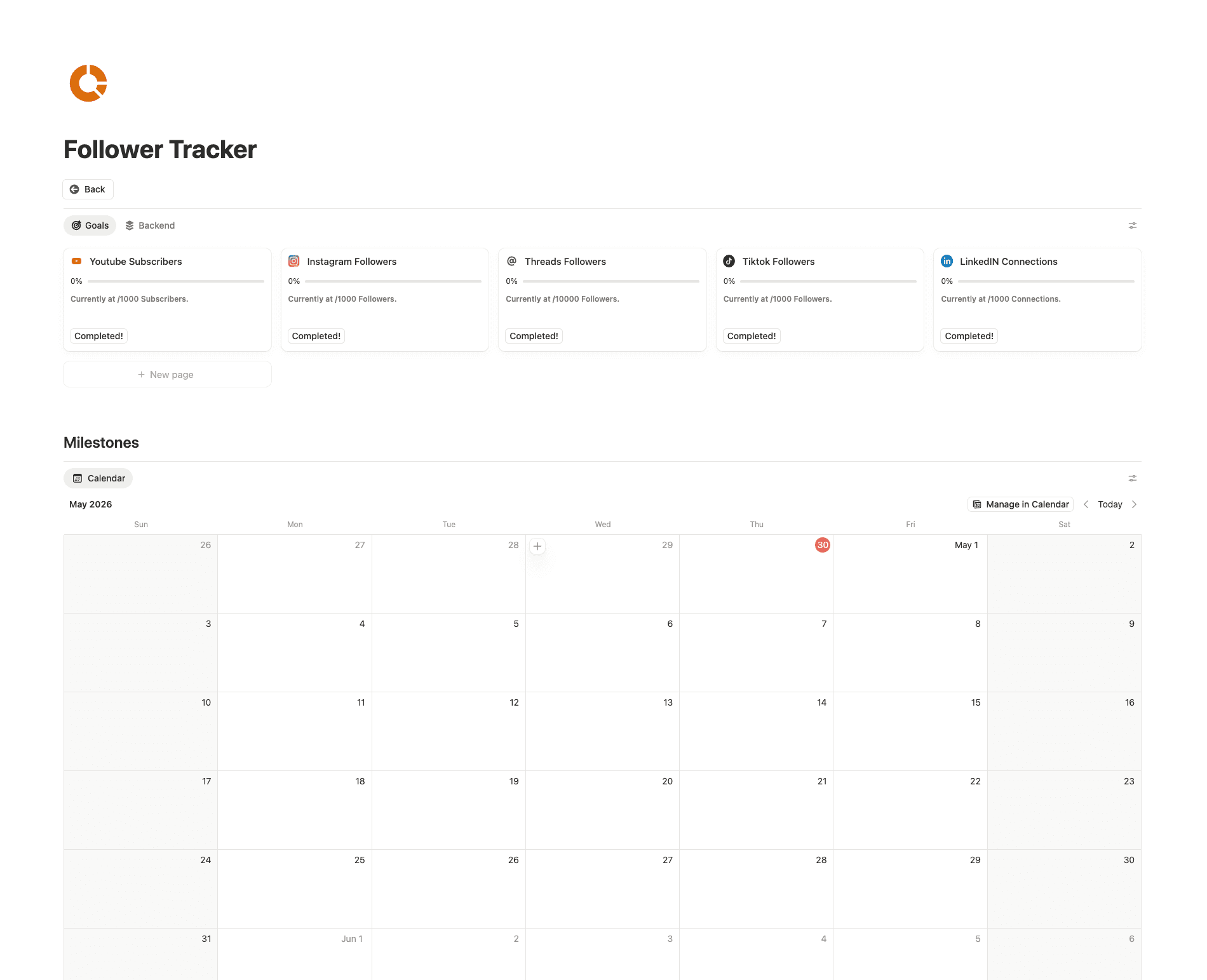
Set a follower goal for each platform and log where you are. The tracker shows the gap, so you can tell whether this month is working.
- Goals per platform:
- Subscribers, followers, and connections each get their own goal. A slow week on one channel doesn't hide a good week on another.
- Milestones on a calendar:
- Every milestone lands on the tracker calendar, so you can look back and see when things started to move.
- A completed toggle:
- Each goal has one, and flipping it is the small win that keeps you posting.
Video Analytics
Find out which videos actually grew the channel
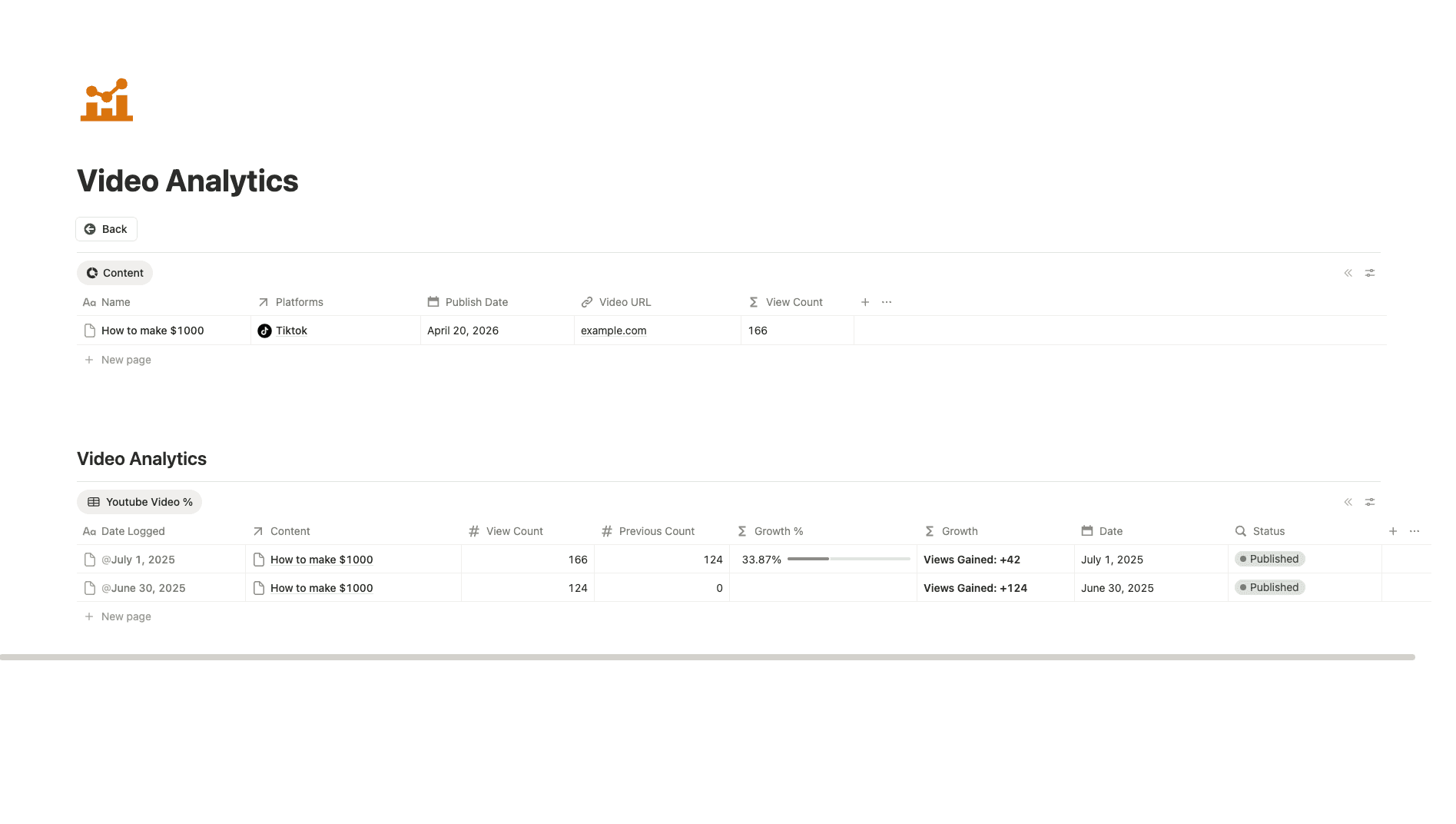
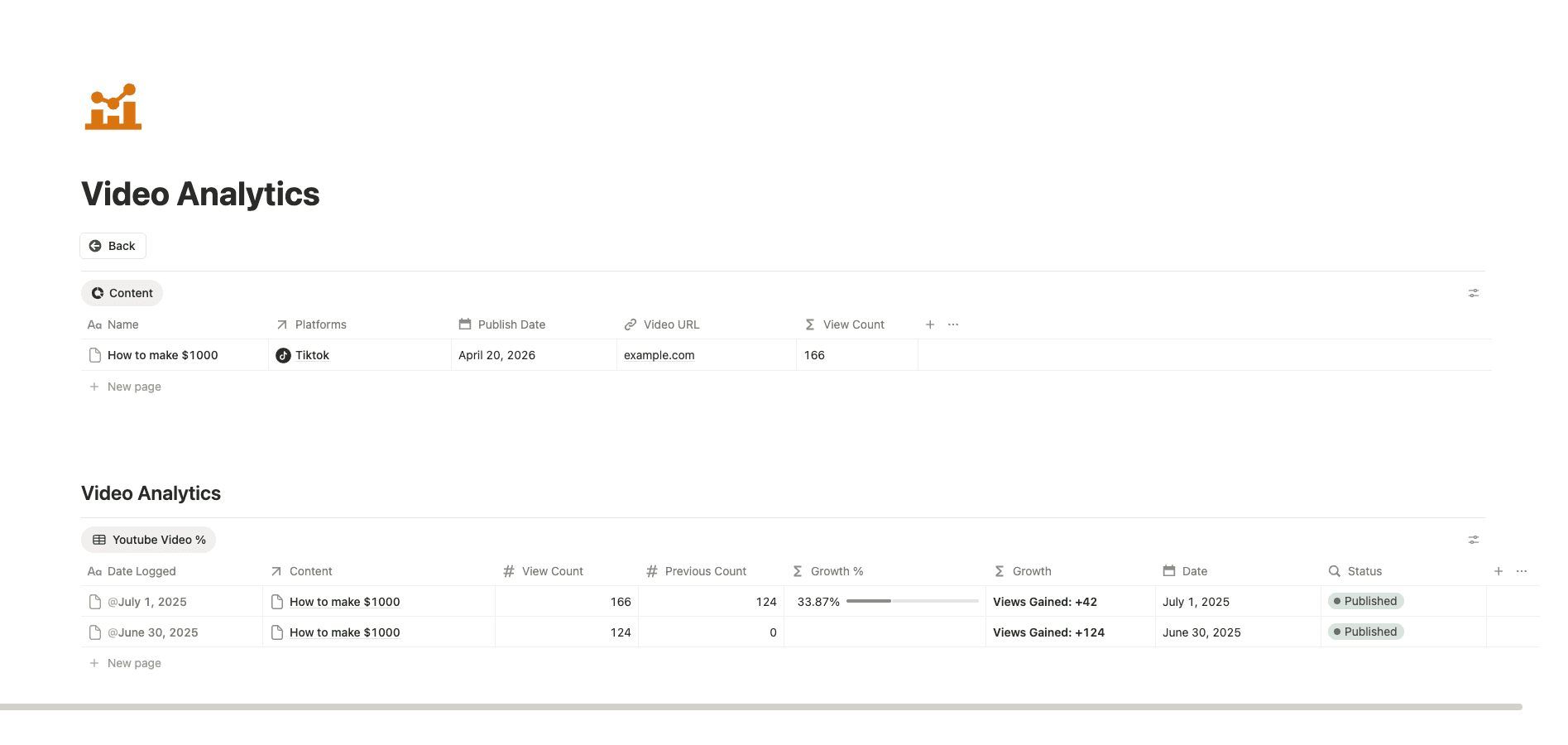
Log a video with its platform, publish date, and view count. Log it again later and the growth table shows the difference, so you learn from your own numbers.
- Views over time:
- Each check in records the current count and the previous one, and the growth column works out the percentage for you.
- Views gained:
- The table shows the raw gain between check ins, so you can spot the video that quietly keeps pulling views weeks later.
- Published status:
- Each entry carries a status, so you can separate what's live from what's still in the queue.
Posting Times
Decide your posting times once and stop rethinking them every morning
The best slots for each platform live on one board. The schedule becomes a decision you make once, and the morning goes to making the post.
- A board per platform:
- Each platform has a Monday to Sunday board, so you see the whole week for YouTube and then flip to Threads.
- Tasks with dates:
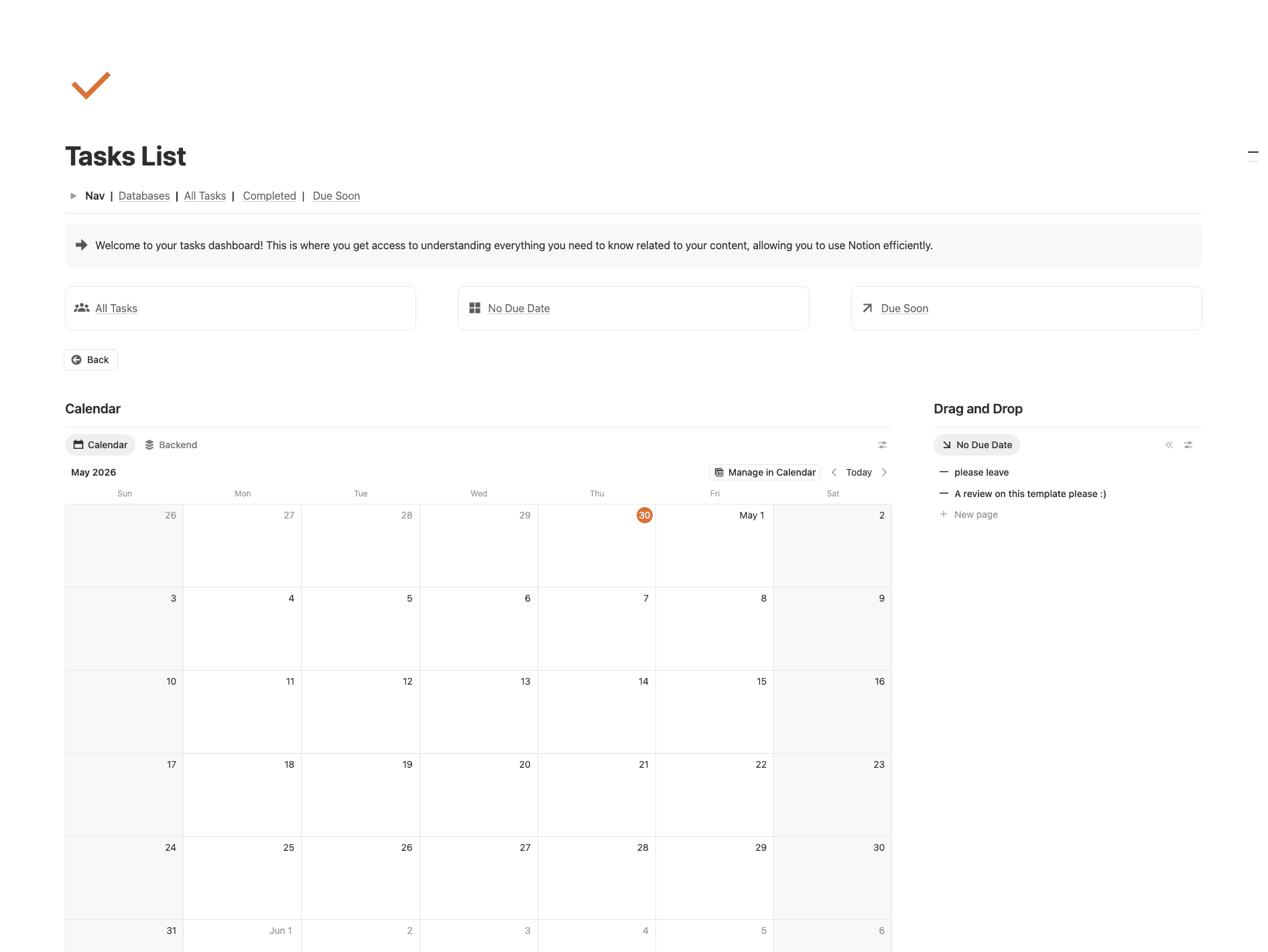
- Anything with a due date lands on the tasks calendar, and the tasks page shows what's due soon and what's done.
- Tasks without dates:
- Ideas that aren't scheduled yet wait in a drag and drop list, so nothing gets deleted just because it has no day.
Reviews
People start with one template and come back for the next one.
Word for word from the Notion Marketplace, where my templates hold a 5.0 rating.
“I have downloaded many of this creator's templates over the last few months and I am always left happy with the result. Thank you!”

Deb Kline
Everyday OS · Notion Marketplace
“I'm new to Notion and this was exactly what I needed to stay organized.”
Thomas
Everyday OS · Notion Marketplace
“Has all the required features, databases etc, nothing too overcomplicated. Easy to customize and get started with without much changing of stuff.”

Anant Acharya
Everyday OS · Notion Marketplace
“Great layout! Just what I needed to make my Notion more functional.”

Erin Johnson
Everyday OS · Notion Marketplace
“The design is very nice and the automatic linking is also super smooth.”
Jean
Everyday OS · Notion Marketplace
“The automations and flow pair great with the simplistic design.”

Simon Soichi
Digital OS · Notion Marketplace
“Everything here was exactly what I needed and I really like the way the page is designed. Love how all the automations actually work :)”

Janis Young
Everyday OS · Notion Marketplace
“I love this template ... Really great for tracking progress on my tasks and keeps me motivated. Super.”

Dan Anderberg
Everyday OS · Notion Marketplace
“Clean and easy to use, gives me a lot of ideas for my new templates.”
Patricia He Guita
Everyday OS · Notion Marketplace
“I love how everything is organised. Very handy, and you can customize it as you want.”

Jo
Everyday OS · Notion Marketplace
“This is the best template I have tried to track each day in the year.”
Saad Ahmad
Everyday OS · Notion Marketplace
“The template is amazing and user friendly. Must try.”

Aditi Niranjana
Everyday OS · Notion Marketplace
You buy it, duplicate it and connect your AI in one sitting.
Get it for $27
You pay once, and the link to your copy shows up right after checkout.
Duplicate it into your Notion
One click and it's sitting in your sidebar, with your platforms ready to fill in.
Connect your AI
Follow the setup page inside the template, then say your first idea out loud.
The free version waits for you to type, and this one fills itself in when you talk to it.
Pay once and keep it. No subscription, no monthly fee.
The free version
Free with your email. Good if you post now and then and like filling it in yourself.
Creator OS
One-time payment. Instant access. Yours to keep.
The questions people ask before they buy.
The full Notion content system: a content calendar with a tab for every platform, a Currently Editing view, platforms, hooks, swipe files, posting times, a follower tracker, video analytics and tasks. It also comes with a team of AI agents built in, a mini Notion course, a mini Claude course and a full business course.
FAQ_01
What's in Creator OS?
The full Notion content system: a content calendar with a tab for every platform, a Currently Editing view, platforms, hooks, swipe files, posting times, a follower tracker, video analytics and tasks. It also comes with a team of AI agents built in, a mini Notion course, a mini Claude course and a full business course.
Still have a question? Email thatvibecoder@gmail.com.
Next Monday, open Notion and your whole posting week is already planned.
Say your ideas out loud, let the team fill in the week, and get back to making the next post.
One-time payment. Instant access. Yours to keep.