 That Vibe Coder
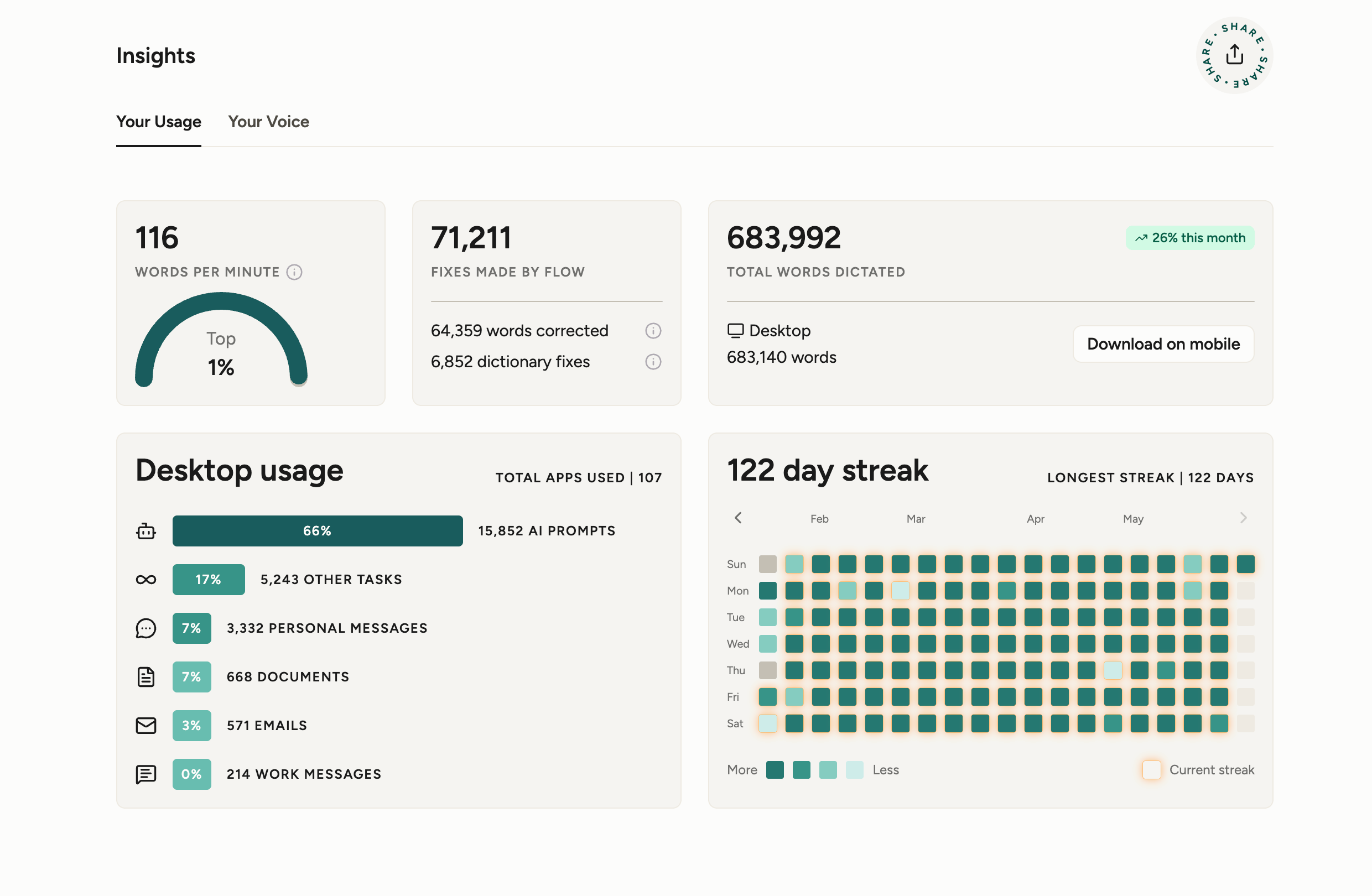
I stopped typing 122 days ago. I downloaded an app called Wispr Flow, and now I hold a button, talk, and whatever I said shows up cleanly in whatever app my cursor is in. Anywhere a text field exists. If there is one thing you take seriously this week, let it be this.
What I Noticed
Everything got faster the moment I started. I bounce between Claude, Codex, and Gemini all day, and now I dump my thoughts straight into the text field instead of fighting my keyboard. Typing was the bottleneck the whole time, and I never noticed until it was gone. Outputting over a hundred words a minute changes how ideas come out of your head.
It made shaping my ideas easier too. If you feel a human element in the way this reads, that is because I am speaking it into Wispr Flow right now. That is the human touch coming back into the writing, and it is where it gets good.
- Pure speed - I move at over a hundred words a minute instead of crawling at typing pace.
- Less friction - thoughts land in the field directly, with no keyboard in the way.
- Sharper thinking - saying ideas out loud surfaces the ones typing tends to flatten.
Best Use Cases
The best part is it works in every app, so it slots into the tasks you already avoid. No copy and paste, no switching windows, just talk wherever your cursor sits. These are the three I lean on most.
- Long client emails - the kind you used to put off for two days because typing them felt like a chore.
- Notes, docs, and resources - connect your knowledge base to AI and flow every idea through Claude into a system like Notion.
- Talking to AI - rambling your ideas into the LLM gives it so much more context at a much faster speed. You notice it right away.
Once it lives in every app, you stop deciding whether a task is worth typing. You just say it and move on to the next thing.
Getting Past Weird
It clicks fast, but the first week is a little weird. You feel self-conscious talking to your laptop in a quiet room. Then your brain rewires and you stop noticing.
I was one of the first 20,000 users of ChatGPT. I started talking my ideas out when voice mode dropped on day one, and I saw fast how much it changed the way I worked. Now we can stack a few of these tools together and they feed each other. The only catch is you might not know where to start, and Wispr Flow is that place.
The lesson from back then stuck with me. A new tool feels awkward right up until the moment it feels obvious, and the gap between those two points is shorter than you think.
- Week one - talking out loud feels strange, and that is the only real hurdle.
- Week two - it fades into the background and starts to feel normal.
- After that - you forget you are doing it and just talk.
Speak Your Prompts
Speaking a prompt beats typing one, and the reason is simple. When you type, you summarize. When you talk, you explain. You stop trimming your thoughts to save keystrokes. Speaking captures your full reasoning, the constraints, the edge cases, the examples, and the tone, then turns it into clean structured text you paste into Claude or any AI tool.
| Prompt | Typed | Spoken |
|---|---|---|
| What you give the AI | A summary | Full reasoning |
| Edge cases and examples | Skipped | Included |
| Follow-up questions | Many | Few |
The difference shows up immediately. More context in, fewer follow-ups out.
Worth A Try
Your best prompts are the ones you would never bother typing. The detailed ones with examples and edge cases. Wispr Flow lets you speak them instead, and it costs nothing to find out if it fits the way you work.
- Works everywhere - Mac, Windows, and iPhone, in any app with a text field.
- Free to start - grab Wispr Flow here and talk your first prompt today.
122 days in, I am not going back to typing. Give it a week and you will feel the same.