 That Vibe Coder
Your AI can talk all day. What it cannot do, by default, is open your Notion, send an email, or touch the tools you actually run your business in. The thing that changes that is an MCP, short for Model Context Protocol. It is a bridge between your AI and one of your apps, and switching it on usually takes a click or two.
What An MCP Is
Think of an MCP as a direct line. You set it up once, and from then on your AI can reach straight into that tool instead of waiting for you to ferry information back and forth.
It is not a new app to learn. It is a connection that lets the AI you already pay for do the work, not just describe it. The name sounds technical. What it does is simple. It hands your AI a key to a room it used to only point at.
- Model - the AI, like Claude, doing the thinking
- Context - the real data inside your tool, not a guess
- Protocol - the shared language that lets the two talk
You do not need to understand the wiring underneath. You just need to know it exists and that you can switch it on.
What It Gets You
Once the connection is live, your AI stops handing you homework and starts doing the thing. It reads what is actually in your tool and acts on it.
Here is what that looks like in practice once Notion is wired up. Small jobs stop being your job, and that adds up faster than you expect.
- Open your Notion - read what is really in there, live
- Update a client - or a project, with no copy and paste
- Move work forward - mark a task done or push a deal along
You stay in charge of the what. The AI just handles the busywork around it.
The Difference
One example makes it obvious. Ask Claude to write a client update and it writes a good one either way. The gap is what happens next.
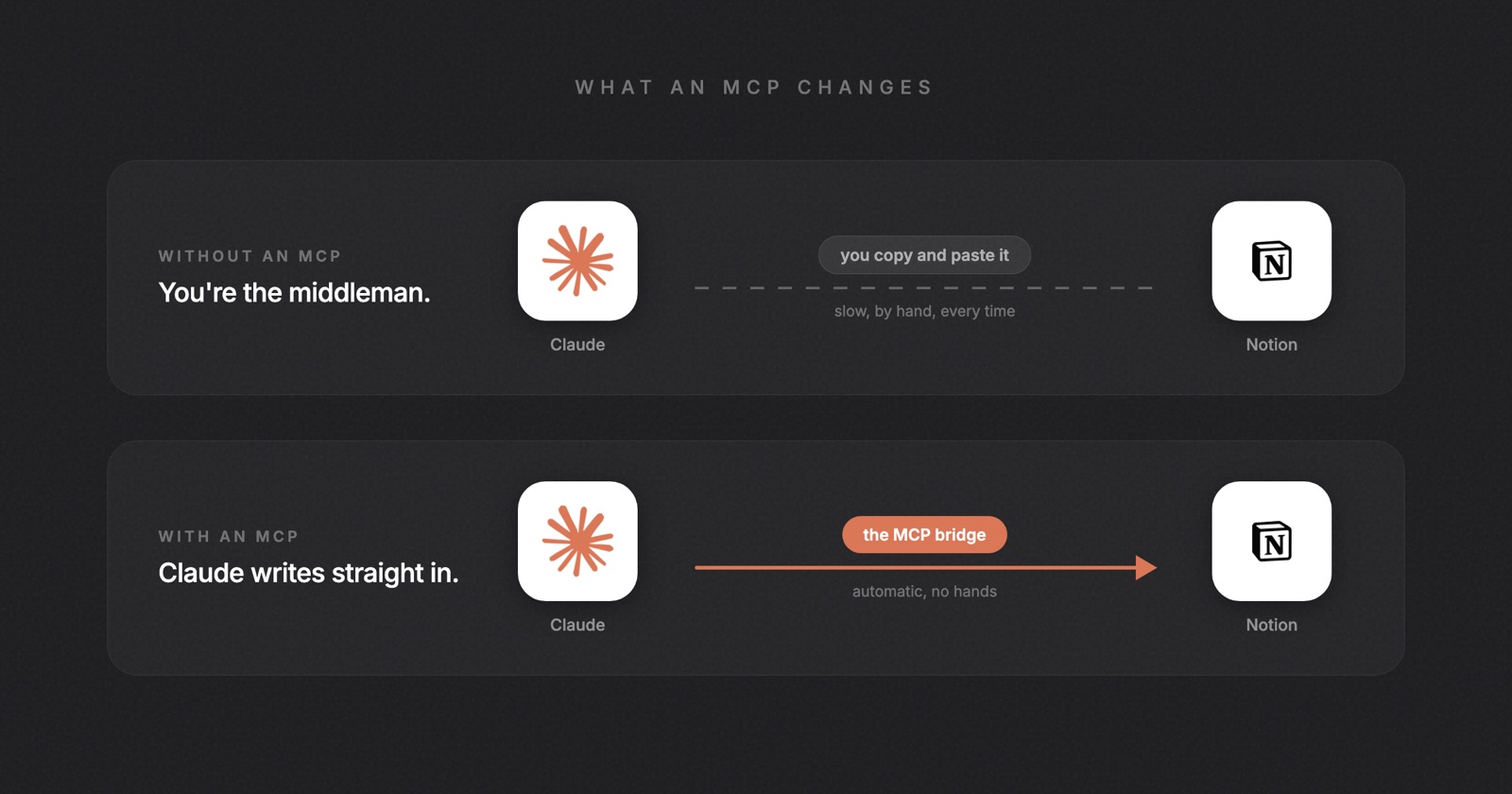
| Step | Without an MCP | With an MCP |
|---|---|---|
| Write the update | Claude does it | Claude does it |
| Find the client | You do it | Claude does it |
| Paste it in Notion | You do it | Claude does it |
One version you finish by hand. The other is done before you have closed the tab. The writing was never the slow part. The clicking was.
Not Just Notion
Beehiiv, the tool I send my newsletter in, just turned on the same kind of connection. One by one, the apps you already use are getting it.
That means the AI you are already paying for is about to run these tools, not just talk about them. The connection is not a Notion thing or a Beehiiv thing. It is quickly becoming the default way your software talks to your AI. A few worth watching:
- Notion - where your information already lives
- Beehiiv - the same connection, now live
- More each month - the list keeps growing
Where To Start
You do not connect everything at once, and you do not need to. Wire up one tool first, and for most of you that is Notion, because it already holds your information.
They make it easy. Inside the Claude desktop app the whole setup is three steps.
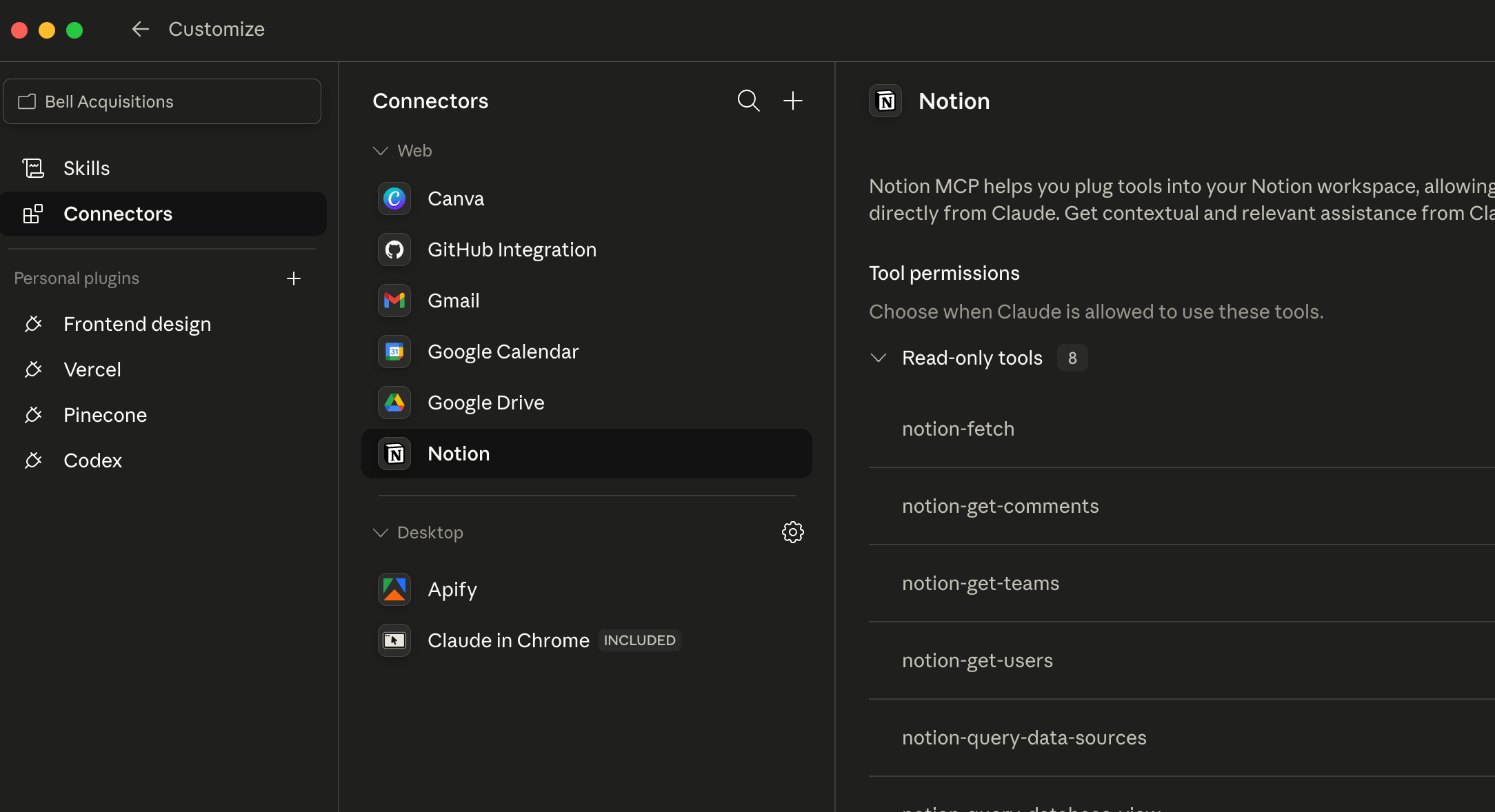
- Open Connectors in the Claude desktop app
- Hit Customize
- Switch on the tool you want
Then go try it. Ask Claude to do one small thing inside Notion, like pull up a client or check off a task, and watch it happen once. That is the moment it clicks.
Your First Connection
Connecting it is the easy part. Knowing what to actually hand your AI is where it gets good, and that is most of what we work through inside The Vibe Stack, my free community.
Inside, we keep it simple and hands on:
- Pick your first tool - the one connection worth turning on today
- Write the prompt - what to actually ask once it is wired up
- Build alongside others - people setting up the exact same thing
Come figure out your first connection with people building right beside you. Start here: The Vibe Stack.